Pro Features
Everything you need for a faster site
Go beyond the basics with advanced optimization tools trusted by agencies and professionals.
Critical CSS
Generate and inline above-the-fold critical CSS. Defer full stylesheets to eliminate render-blocking CSS and improve FCP.
Unused CSS Removal
Scan pages and strip unused CSS rules. Reduce your total CSS payload by up to 90% for faster load times.
WebP/AVIF Conversion
Automatically convert images to modern formats. Serve the smallest possible images without sacrificing quality.
Performance History
Track your speed score over time with interactive charts. Measure the impact of your optimizations.
CDN Integration
Rewrite static asset URLs to your CDN domain. Works with Cloudflare, BunnyCDN, KeyCDN, and any pull-zone CDN.
Advanced JS Delay
Delay non-critical JavaScript until user interaction. Dramatically improve Time to Interactive and Total Blocking Time.
Preload & Prefetch
Auto-detect fonts and critical assets. Add preload, prefetch, and preconnect hints for faster resource delivery.
Slack & Email Alerts
Get notified when your speed score drops below a threshold. Slack webhooks and styled HTML email alerts.
White-Label Reports
Branded performance reports with your agency logo and colors. Export as HTML or PDF for client deliverables.
See It In Action
Inside the dashboard
Real screenshots from the WordPress admin — what you'll see after you install.
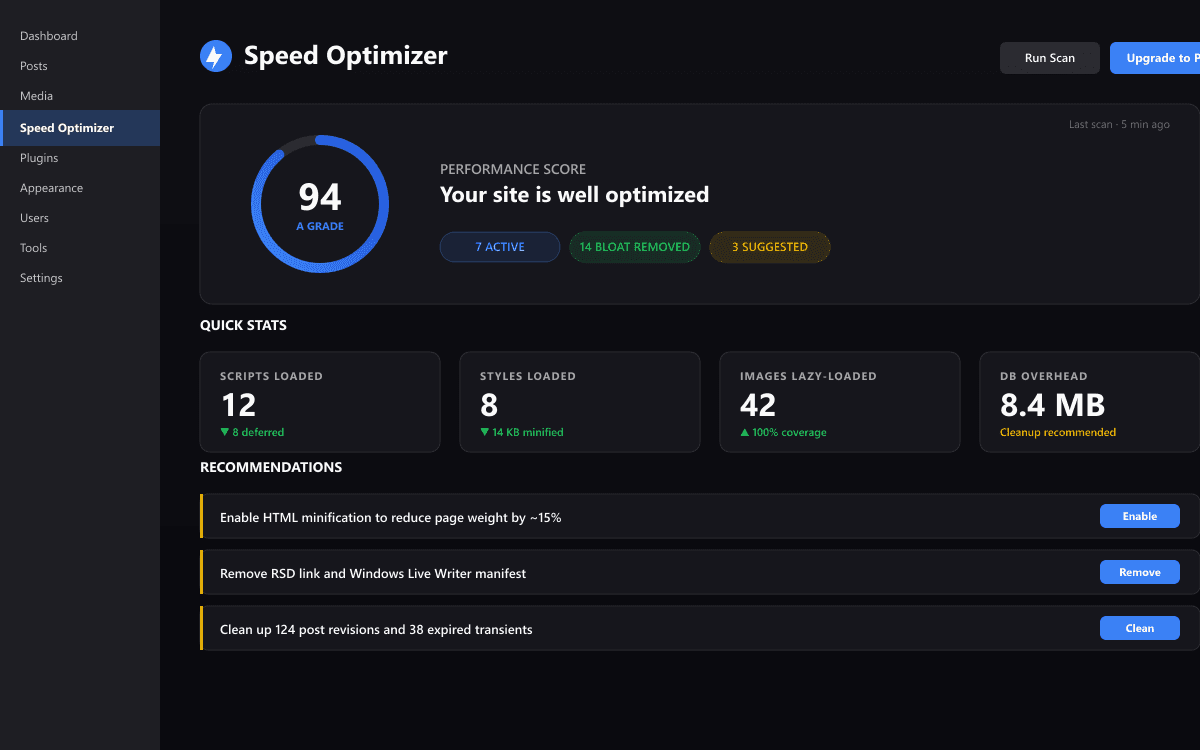
Dashboard — performance score (A–F), enabled optimizations summary, and live page-weight stats.
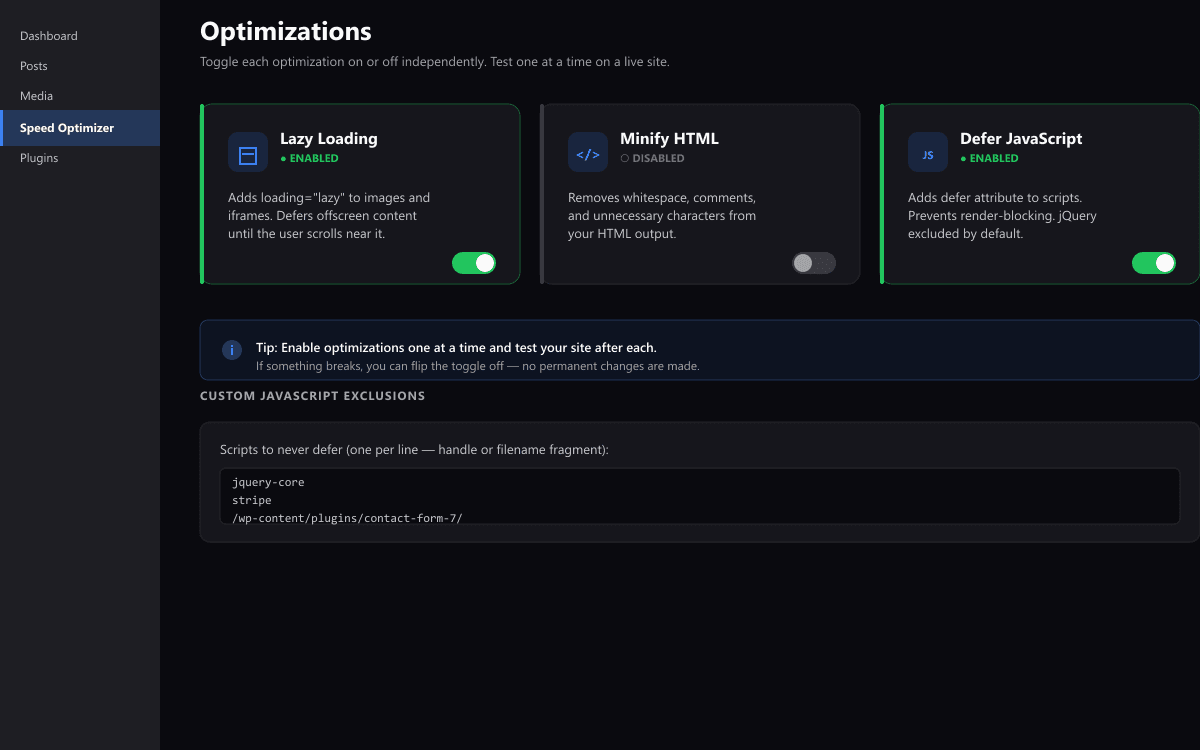
Optimizations — toggle each feature on or off independently. Test one at a time on a live site.
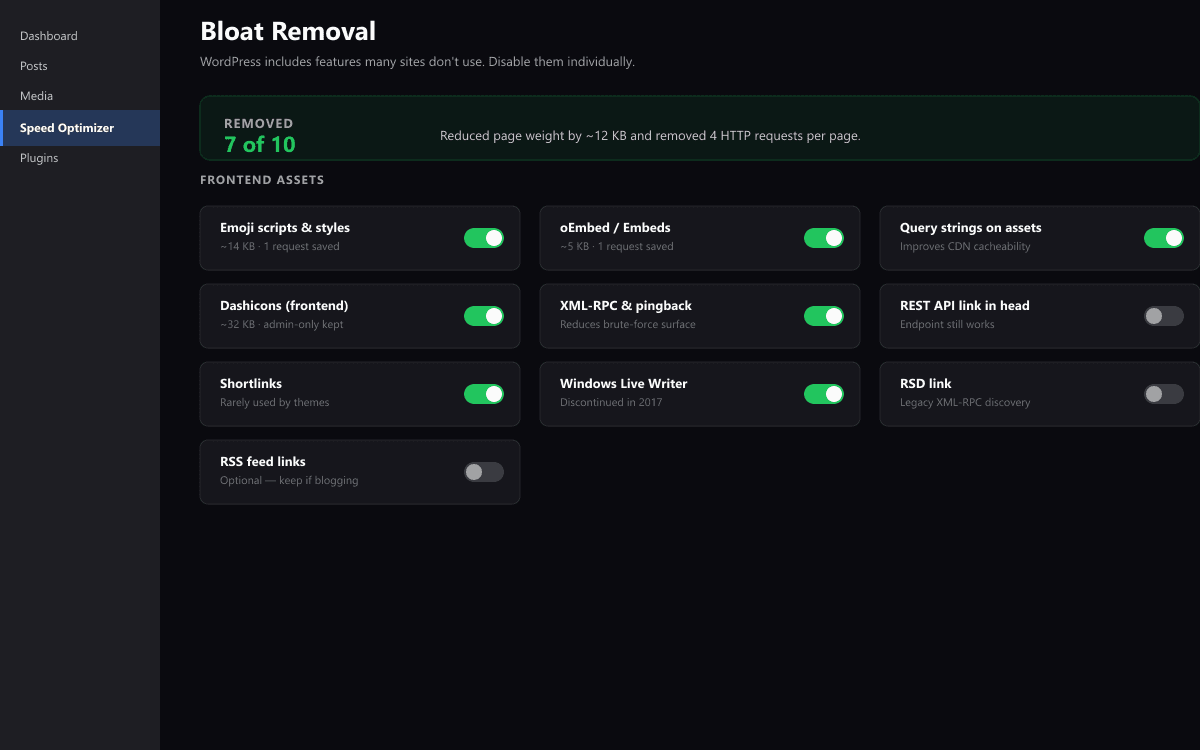
Bloat removal — disable emoji scripts, query strings, dashicons, XML-RPC, and more with one click each.
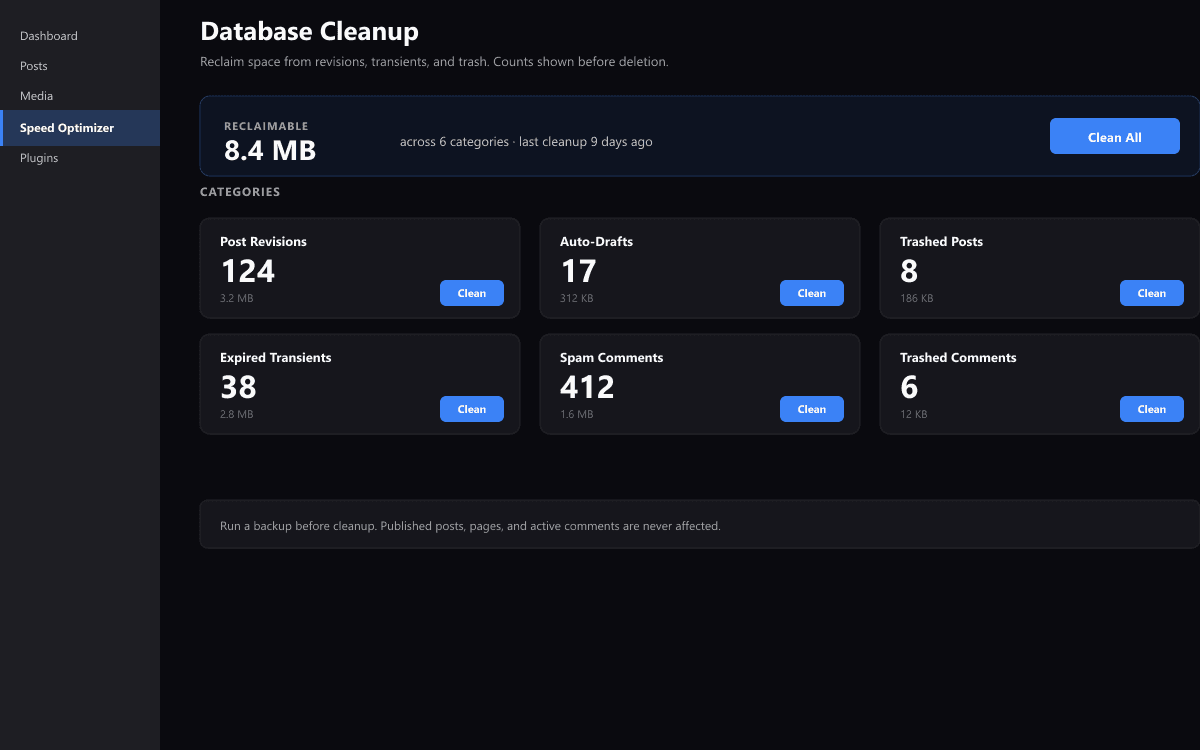
Database cleanup — counts shown before deletion. Reclaim megabytes from revisions, transients, and spam.
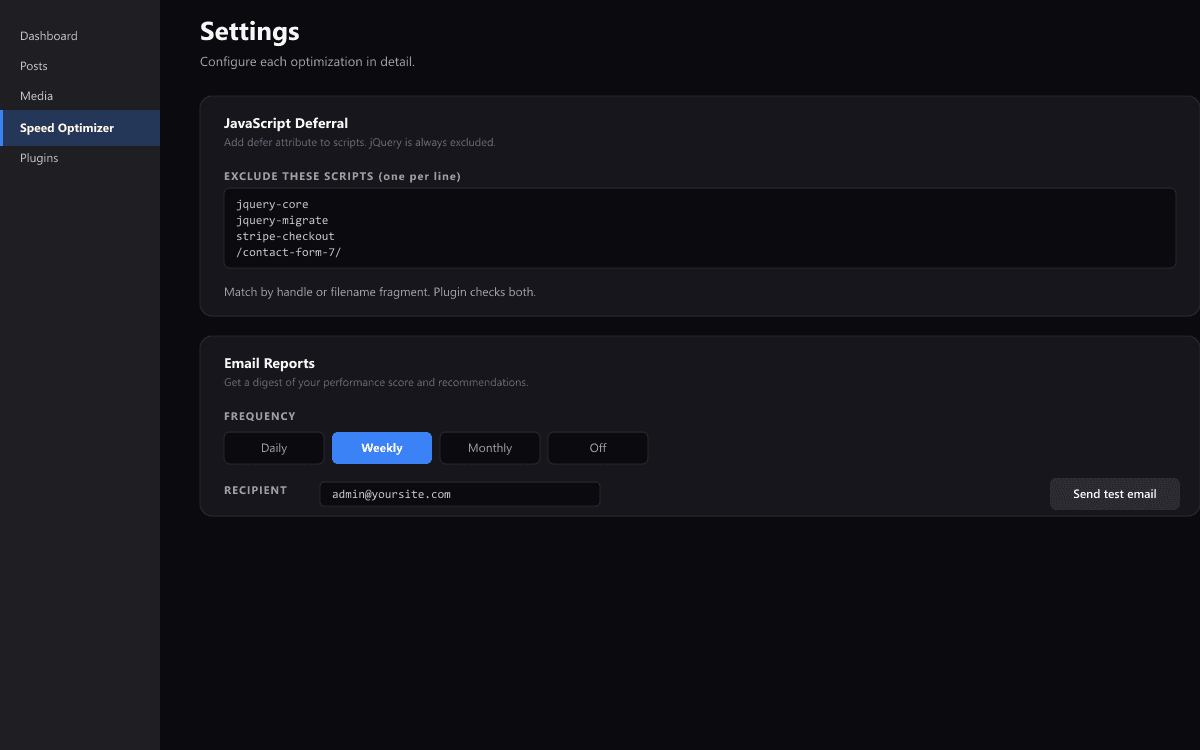
Settings — fine-grained control over each optimization, custom JS exclusions, email report frequency.
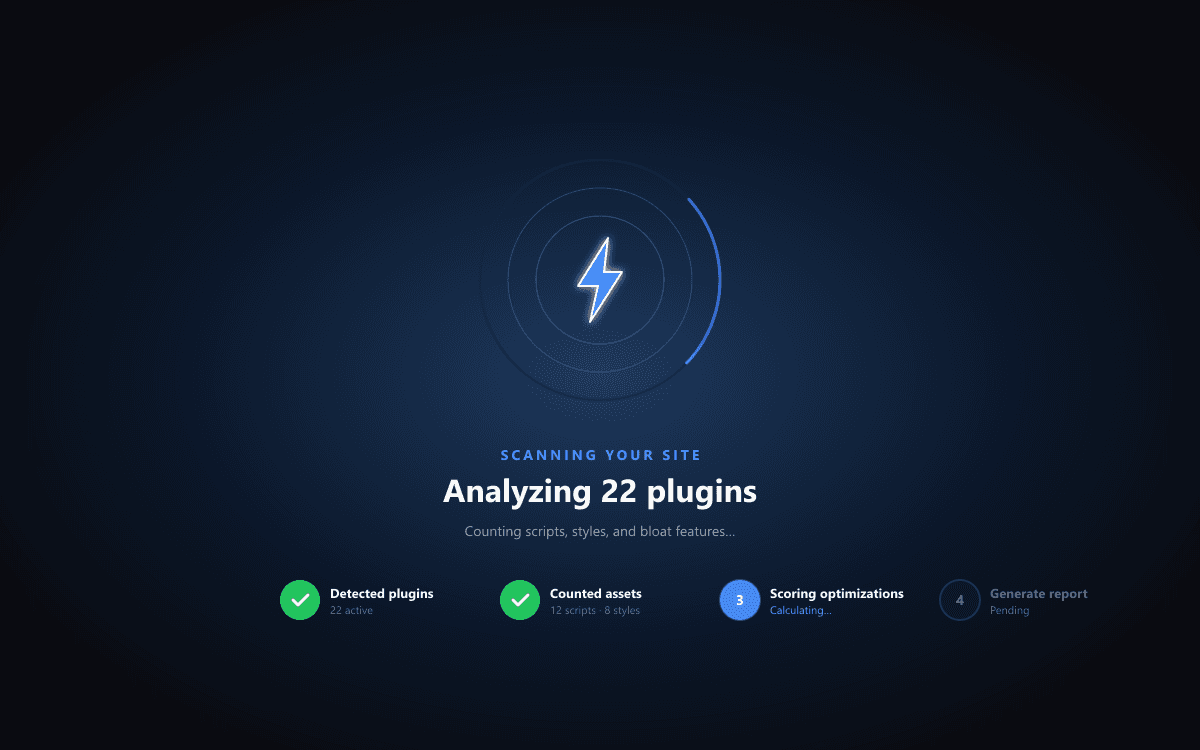
First-run experience — guided scan walks new users through detection of their site's current state.
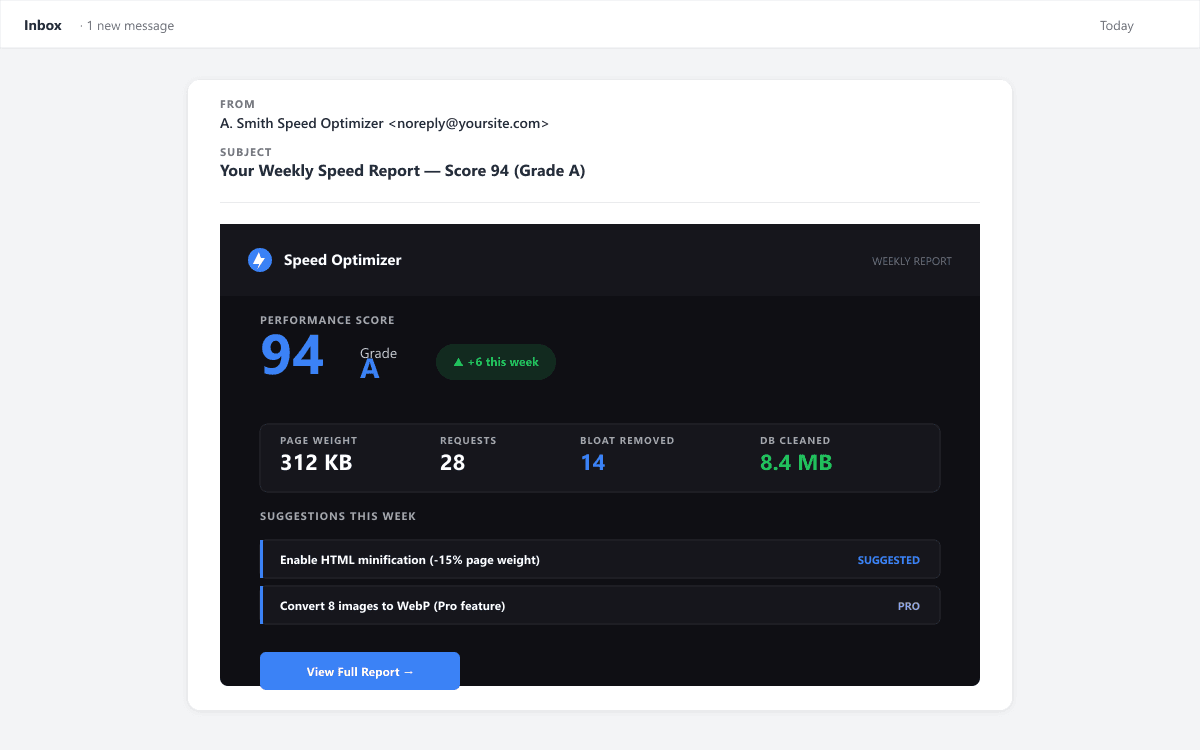
Weekly email report — speed score trend, page weight, and prioritized suggestions in your inbox.
Compare
Free vs Pro
| Feature | Free | Pro |
|---|---|---|
| Lazy Loading | ||
| HTML Minification | ||
| JavaScript Deferral | ||
| Bloat Removal (10 Items) | ||
| Database Cleanup | ||
| Performance Scoring | ||
| Email Speed Reports | ||
| Critical CSS Generation | — | |
| Unused CSS Removal | — | |
| WebP/AVIF Image Conversion | — | |
| Advanced JS Delay | — | |
| CDN Integration | — | |
| Preload & Prefetch Manager | — | |
| Scheduled DB Optimization | — | |
| Performance History & Trends | — | |
| Slack Notifications | — | |
| White-Label Reports | — | |
| Priority Support | — |
Pricing
Simple, transparent pricing
One-time annual payment. No hidden fees. 30-day money-back guarantee.
FAQ
Frequently Asked Questions
Do I need the free plugin too?
Yes. The Pro add-on extends the free A. Smith Speed Optimizer plugin. Install the free version from WordPress.org first, then add the Pro plugin.
How do I receive my license key?
Immediately after purchase, you'll receive an email with your license key and a download link for the Pro plugin zip file.
Will this conflict with other caching plugins?
A. Smith Speed Optimizer Pro focuses on frontend optimization (CSS, JS, images). It complements caching plugins like WP Super Cache or W3 Total Cache.
What happens when my license expires?
Pro features continue working for a 7-day grace period. After that, Pro features are disabled but the free plugin continues working normally. You won't lose any data.
Can I transfer my license to another site?
Single-site licenses are tied to one domain. Deactivate the license on one site before activating on another. Unlimited licenses work on any domain.
Is there a refund policy?
Yes, we offer a 30-day money-back guarantee. If you're not satisfied, contact us for a full refund.